Write about three times faster
Most people type around 40 words a minute and talk at around 150. You say it once and the text is done.
Typing40 words
Talking with Spoken150 words
Words written in one minute, at typical speeds
Voice typing for your computer
Spoken is an app that turns your voice into clean text in any program. Hold one key, say what you want to write, and let go.
For Windows 10 and 11. Your voice stays on your computer.
Use it for emails, messages, reports, notes, AI prompts and code.
Shown with an AI service connected. Without one, you still get your words with punctuation and light cleanup.
An email, a chat, a document. Any place on your computer where you can type.
Hold Right Ctrl and speak normally. You can pick a different key in Settings.
Your words appear at your cursor, with punctuation and without the “um”s.
Press and hold the key below. This demo uses a sample sentence; the real app hears your voice.
Press and hold the key
Your text appears here
Most people type around 40 words a minute and talk at around 150. You say it once and the text is done.
Spoken takes out filler words and repeats, adds punctuation, and matches the tone of the app you’re in.
Rewriting and tone matching use an AI service you connect with an API key, such as Claude or OpenAI. Without one, dictation still works with punctuation and light cleanup.
hi sarah uh just following up on the the proposal can you let me know by friday
Hi Sarah, Just following up on the proposal. Could you let me know by Friday?
There’s nothing to set up for each app. If you can paste text there, Spoken can write there.
Thanks for the update, I’ll send the figures tomorrow.
Speech is turned into text on your own machine. The audio is never uploaded. Text only leaves your computer if you connect an AI service, and only goes to the one you chose.
Spoken understands nearly 100 languages and detects which one you’re speaking. The app itself comes in English, French and Arabic.
Hold Right Ctrl and Shift, then ask. Spoken can read what you selected or a public web page, look through what you’ve dictated before, find files and open apps. The answer shows in a small window; press Enter to paste it. Needs a connected AI service.
Make this shorter
Thursday’s meeting has to move.
Relaxed in chat, polished in email, exact in code. Choose a style for each kind of app and Spoken uses it by itself. Needs a connected AI service.
Add names and technical terms, plus how they tend to get misheard. Spoken then writes them the way you spell them.
Say a short phrase and Spoken types the long version, like your address or booking link.
Every dictation is saved on your computer with your voice next to the text. Search it, copy it, or play it back. Recordings delete themselves after 30 days, or you can turn them off.
Hey team, quick update on the release: the build is ready for review.
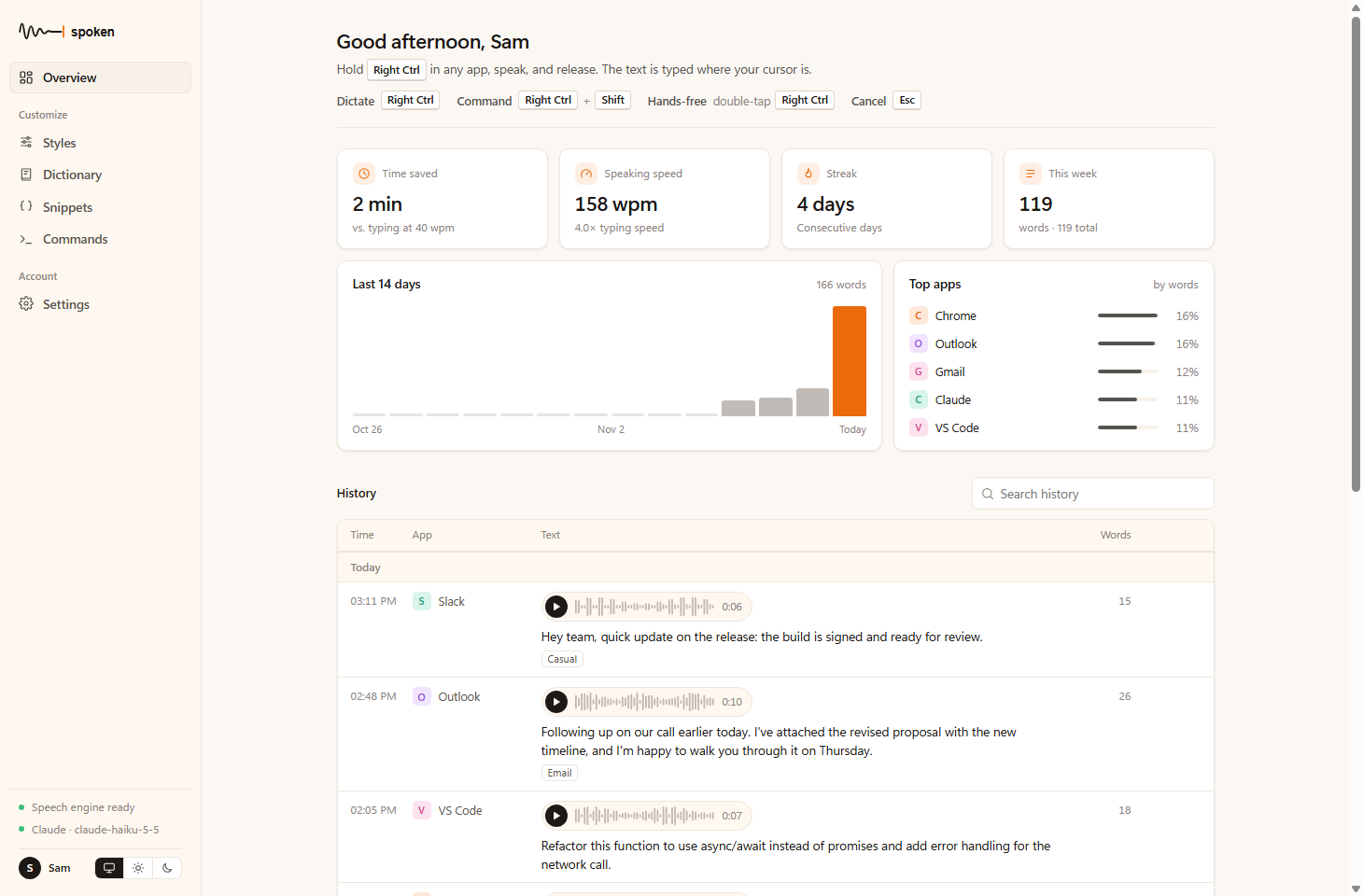
Spoken shows your time saved, speaking speed, daily words and the apps you dictate in most.
Sample figures
Everything stays in one simple window. After setup, you rarely need to open it.
An app you install on your computer. While it runs, you can hold one key in any program and speak, and your words are typed for you.
No. Dictation works without one and gives you your words with punctuation and light cleanup. For AI rewriting and voice commands, add an API key from Claude, OpenAI, OpenRouter or Gemini. A regular ChatGPT or Claude subscription won’t work; it has to be an API key.
No. Leave your name, email and company and the download starts right away. If you connect an AI service, that service may charge you for what you use.
Dictation does. AI rewriting and voice commands need the internet to reach your AI service.
Anywhere you can paste text: email, chat, documents, code editors, browsers. The exception is apps running as administrator, because Windows hides Spoken’s key while one is in front. Dictate somewhere else, then paste.
Spoken doesn’t have the publisher certificate Windows looks for yet, so Windows may say it doesn’t recognize the app. Choose More info, then Run anyway.
It’s on the way. The download will appear here once it has been tested on real Macs.